Schedule Swap Requests
Agents can make, view, and approve shift swap requests.
What do you want to do?
Tasks in this Topic Include:
- View Swap Requests
- Make a Shift Swap Board Request
- Make a Planned Swap
- Accept/Decline a Swap Request
Related Tasks:
- My Agent Homepage
- My Schedule
- My Schedule Changes
- Schedules for Bidding
- My Bids
- My Alerts
- Change Password
View Swap Requests
To view your swap requests:
- Select Schedule Swap Requests in the left navigation menu.
- Review
the swap requests.
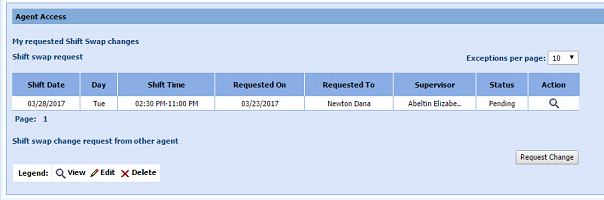
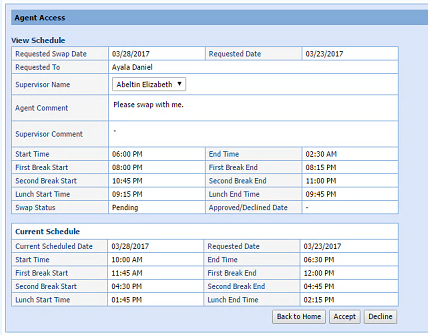
- Select
the in the Action column to view request
details.
Make a Shift Swap Board Request
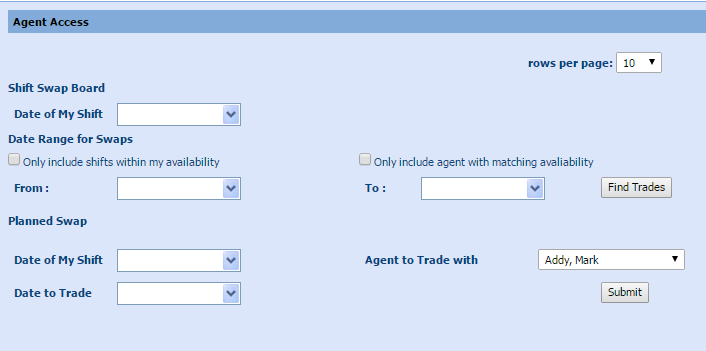
This is used by agents who do not already know who they will swap with or what day they will trade in order to get their swap done. The agent must start with the day they wish to trade away, and then set a range of dates they are willing to search for trades within. Monet will find the shifts allowed for trading.
To make a schedule swap request:
- Select schedule swap requests in the left navigation menu.
- Select Request Change.
- Select the calendar, and enter the Date of My Shift to swap.
- Select the Only include shifts within my availability, and Only include agent with matching availability check boxes as desired.
- Select the From and To dates for the Date Range for Swaps.
- Select Find Trades.
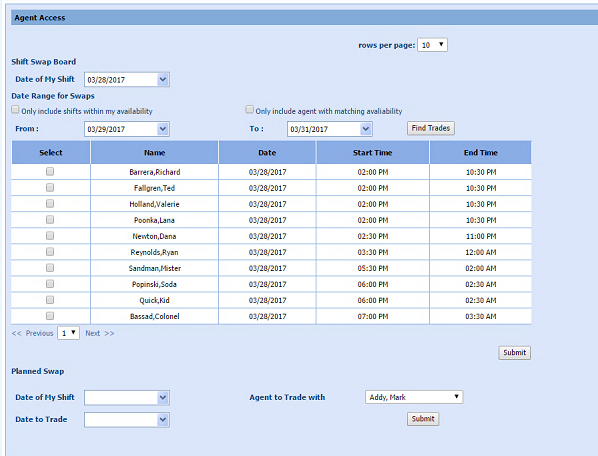
- If an eligible swap is found, it is displayed in the Shift Swap Boardwindow.
- Select Submit to send the request to both the requested agent and the Supervisor.
- If
both the Supervisor and the agent approves, the swap is executed.
Make a Planned Swap
This option is used by agents who do already know who they wish to trade with. This would be used when two agents have already discussed the details of their swap and agreed to it. Agent A would put in the details of his/her shift, the name of the agent trading and the date of the other agent’s shift.
To make a planned swap:
- Make an agreement with another agent to swap shifts.
- Select schedule swap requests in the left navigation menu.
- Select the Date of My Shift from the calendar.
- Select the Date to Trade from the calendar.
- Select the Agent to Trade with from the drop-down menu.
- Select Submit. A comments window opens:
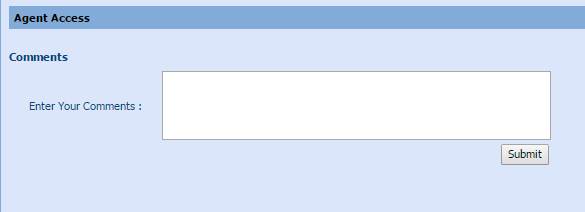
- Enter
any comments as desired.
- Select Submit.
Accept/Decline a Swap Request
Agents can accept or decline swap requests from another agent.
To accept a swap request:
- The
agent being asked to swap receives a pop up notification that they
have a pending swap request.
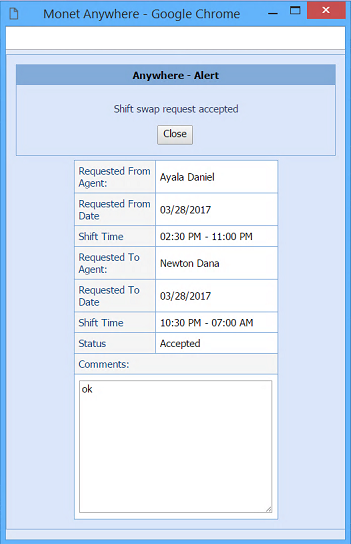
- Select schedule
swap requests in
the left navigation menu.

- Select Accept to approve or Decline to decline the swap.